Webflow CMS Limits and Workarounds for 2026

What Webflow CMS Limits Actually Count
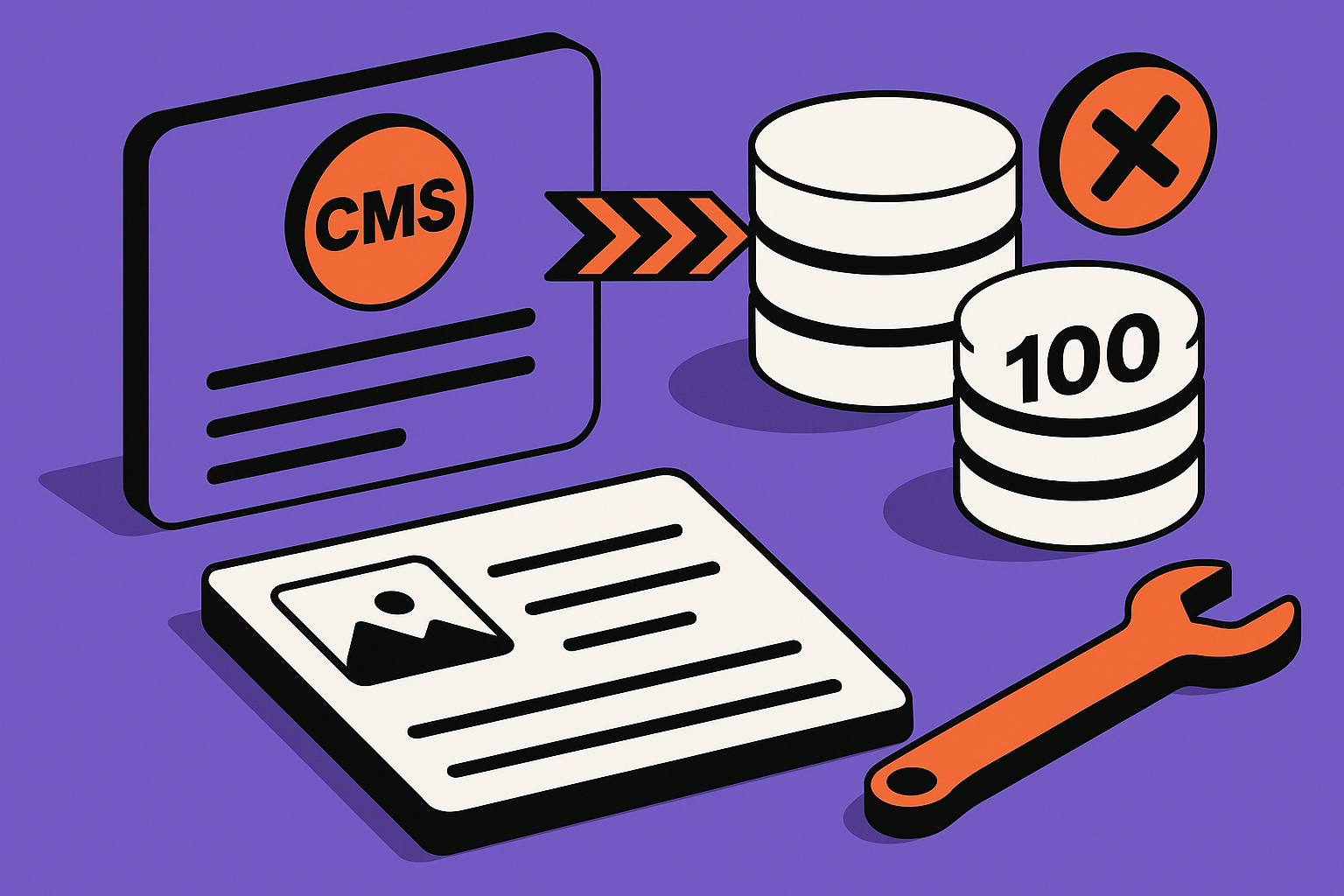
Webflow CMS limits are not only about how many blog posts you have. They include CMS items, Collections, Collection Lists on a page, nested Collection Lists, referenced items, static pages, Ecommerce products, categories, variants, and in some cases imported data that you thought was separate. The hard part is that different limits fail in different places. One limit blocks publishing. Another blocks a new CMS item. Another silently forces you to redesign a page because the Designer cannot render the relationship you modeled.
Start by separating account limits from site plan limits. Workspace permissions, site plan tier, legacy plan rules, and Ecommerce plan rules can all affect what the editor sees. A founder often checks the pricing page, sees a larger number, and assumes the site should accept more content. That can be wrong if the site is on a legacy plan, the wrong site plan, or an Ecommerce tier whose product counting rules do not match the way the catalog was built.
Audit the current ceiling before changing the design
Open the Webflow Dashboard, select the site, and check the active Site plan. Then open CMS Collections and count the structure, not just the content. How many Collections exist? Which ones are real entities, and which ones are being used as tags, filters, join tables, reusable settings, or page sections? A bloated CMS usually hides its limit problem in these supporting Collections.
Build a limit map
Create a simple table before you refactor. It does not need to be fancy. The point is to identify which ceiling is actually binding.
| Limit type | Where it shows up | Typical symptom | First thing to check |
|---|---|---|---|
| CMS item cap | CMS panel, import, publishing | Cannot add or import more items | Active site plan and total CMS items |
| Collection cap | CMS structure | Cannot create another content type | Whether small Collections can be merged |
| Collection List display cap | Designer and published page | Only part of a list appears | List settings, pagination, filters |
| Nested list cap | Dynamic templates | Related content cannot render as designed | Reference depth and page layout |
| Ecommerce item cap | Products and categories | Product creation blocked unexpectedly | Products, variants, SKUs, and categories |
Do not begin with a migration plan. Begin with a count. A site with 8,000 CMS items and a bad content model may be easier to repair than a site with fewer items but a page design that needs deep relational queries Webflow was never meant to perform.
When to call an expert: if you cannot explain which limit is blocking you after reviewing plan, item, Collection, and page-level counts, stop making random CMS changes. Blind merging or deleting Collections can break live URLs, SEO templates, references, and editor workflows.
Fix the Collection Architecture Before You Upgrade
The most expensive Webflow CMS limit problems usually start as modeling problems. A no-code build grows quickly: blog posts become resources, resources become directories, directories gain regions, categories, authors, sponsors, featured blocks, landing pages, and gated content. Eventually the site has many small Collections that exist only because the original design needed a dropdown or repeatable section.
Upgrading the plan can buy time, but it will not fix an architecture that uses CMS Collections as a substitute for a database. If every filter value is its own Collection, every landing page section is its own Collection, and every relationship is modeled through references, the site becomes hard to edit and easier to break. The better move is to decide which data deserves to be a first-class Collection and which data should become an Option field, plain text, multi-reference, static design component, or external record.
Merge Collections that are not real entities
A real entity has its own lifecycle. Authors, products, locations, case studies, and articles usually deserve Collections. A list of four badge labels probably does not. If a Collection has only a handful of items, no unique page template, no SEO value, and no independent editing workflow, it may be a field hiding as a content type.
Split Collections that are doing two jobs
The reverse also happens. A single Collection may contain blog posts, landing pages, partner profiles, release notes, and help center entries, separated only by a type field. That looks efficient until each type needs different fields, filters, templates, or permissions. Splitting the Collection can reduce page complexity even if it increases the Collection count, so the right answer depends on which limit is binding.
Preserve URLs during restructuring
Before moving content, export the CMS data and capture the live URL pattern for each template. If you merge or split Collections, plan redirects before publishing. For SEO-heavy sites, the CMS refactor is not just a content operation. It is a routing operation, and it can affect canonical URLs, sitemap entries, Open Graph fields, and internal links.
"Review this Webflow CMS export and identify Collections that are only used as labels, filters, or page sections. Suggest a safer model that reduces Collection count without changing live URL paths. Here is the export summary: [paste fields and item counts]."
If the site is already close to a hard cap, plan the refactor in a duplicate site or staging workflow. Webflow is forgiving for design experiments, but CMS restructuring on a live editorial site can create broken references that are hard to spot until publish time.
Need a second set of eyes on a CMS model before you migrate or rebuild it? AppStuck can review the structure and map the safest path forward through a free assessment.
When to call an expert: if the content model touches SEO pages, product pages, filters, integrations, or editor permissions, get help before restructuring. The risk is not losing an item. The risk is shipping a clean-looking CMS that breaks production behavior.
Collection List and Nested List Limits Are Page Design Problems
Some Webflow CMS restrictions are not about storage. They are about rendering dynamic content on a page. Collection Lists have limits on how many items can display, how many lists can appear on a page, and how nested lists behave. These limits surprise builders because the CMS still contains the content. The issue is that the page cannot display it in the layout you designed.
This is where many directory, marketplace, blog hub, and resource library pages get stuck. The editor expects one page to show all categories, all featured items, all related resources, all testimonials, and all regional variations. Webflow can handle many polished marketing pages, but it is not a general-purpose query engine. When the page needs conditional logic across multiple related Collections, the Designer becomes the bottleneck.
Replace one giant page with intentional index pages
If a page tries to show every item, ask whether users actually need that. A resource hub can become paginated category pages. A location directory can use state or city landing pages. A product catalog can split by product family. This reduces the number of items each Collection List needs to render and often improves usability.
Use pagination and filters carefully
Pagination helps with display limits, but it is not a magic search system. Native Webflow filtering is useful for simple cases, but complex combinations can become awkward fast. If users need faceted search, availability filters, role-based results, or dynamic sorting, you may need a search service, custom JavaScript, or a headless database feeding the page.
Avoid deep nesting where possible
Nested Collection Lists are useful for related content, but deep relationships are fragile. A team page that shows departments, employees, employee projects, and project tags may feel natural as a data model, yet render poorly in Webflow. Flatten the page for display. Precompute labels, create summary fields, or move the complex relationship to a dedicated detail page.
Display limit checklist
- Confirm whether the missing items exist in the CMS but not on the page.
- Check the Collection List item limit and pagination settings.
- Review filters that may exclude items with empty fields or unpublished references.
- Count how many Collection Lists are used on the same page.
- Identify nested lists and reduce relationship depth where possible.
"Diagnose this Webflow page structure for Collection List and nested Collection List limits. Tell me which lists should become paginated pages, static sections, or external search results. Current page sections: [paste structure]."
When to call an expert: if the page requires multi-step filtering, nested relationships, or search behavior that Webflow cannot express cleanly, do not keep stacking workarounds in the Designer. That is usually the point where a custom component or hybrid architecture is cheaper than more CMS contortions.
Webflow Ecommerce Limits Need Their Own Count
Webflow Ecommerce limits are easy to misread because products are not the only thing that matters. Categories, variants, and SKUs can affect what the store can hold and how it behaves. A store owner may see a product plan limit and assume there is room, then find that a new product cannot be added because the catalog structure consumes capacity differently than expected.
This matters most for catalogs with many variants, digital products, subscriptions, bundles, or frequently changing inventory. Webflow Ecommerce is convenient for straightforward stores, but it has narrower boundaries than dedicated commerce platforms. If the business model depends on subscription rules, advanced checkout customization, multi-location inventory, automated digital fulfillment, or complex promotions, the CMS limit is only one part of the constraint.
Separate marketing content from commerce records
A common mistake is using Ecommerce products for everything that looks like an offer. Some items may be better as CMS entries that link to an external checkout. Others may stay as products but use simpler variant structures. The goal is to reserve Ecommerce records for things that truly need Webflow checkout and order handling.
Watch variant explosion
Variant-heavy products can make a small catalog behave like a large one. Size, color, material, region, license type, and package tier multiply quickly. If every possible combination becomes a SKU, the store becomes harder to maintain and more likely to hit plan or operational limits.
Know when checkout is the real blocker
If the pain is subscriptions, checkout flexibility, automatic fulfillment, or account management, adding more CMS capacity will not fix it. You are dealing with commerce workflow limits, not only item limits. In that case, Webflow can remain the marketing front end while a dedicated commerce or subscription system handles transactions.
| Store pattern | Webflow fit | Better workaround |
|---|---|---|
| Small catalog with simple variants | Usually reasonable | Clean product fields and category structure |
| Large catalog with many filter pages | Possible but fragile | CMS catalog pages plus external checkout |
| Subscriptions or memberships | Limited | Dedicated subscription platform embedded or linked |
| Digital goods with fulfillment rules | Limited | External checkout and fulfillment automation |
| Marketplace or multi-vendor catalog | Poor fit | Headless commerce or custom application |
Before changing platforms, export products, categories, variants, and order-related settings. Then count what each product actually represents. Sometimes the fix is a cleaner product model. Sometimes the right answer is to keep Webflow for the storefront pages and move checkout logic elsewhere.
When to call an expert: if a product cannot be added even though the visible product count looks under the plan limit, or if checkout requirements are driving the workaround, get a technical review. Ecommerce migrations can affect revenue, analytics, order records, tax settings, and customer support workflows.
Workaround Patterns That Do Not Turn Into Debt
There are many ways to stretch Webflow CMS limits. Some are sensible. Some become hidden technical debt that the next builder has to untangle. The test is simple: does the workaround make the content model easier to understand, or does it only hide the limit for a few more weeks?
Good workarounds reduce unnecessary CMS usage, move complex data to the right system, or simplify what the page needs to render. Bad workarounds duplicate content, create manual sync steps, rely on brittle embeds, or require editors to remember rules that are not enforced anywhere. A workaround should have a named owner, a failure mode, and a way to reverse it later.
Use static sections for content that does not need CMS editing
Not every repeatable block belongs in the CMS. If a homepage has three value props, five logos, or a fixed comparison table, static design elements may be better. CMS fields are valuable when non-technical editors need to update content regularly or when templates reuse the same structure across many pages.
Move search and filtering out of Webflow when needed
For large directories, a third-party search layer or custom front-end component can query external data and render results inside a Webflow page. This keeps Webflow as the visual shell while moving heavy filtering away from Collection Lists. It is especially useful when users need combinations of filters that Webflow cannot model well.
Adopt a hybrid CMS carefully
A hybrid architecture can work well: Webflow owns marketing pages and templates, while another CMS, database, or API owns high-volume records. The risk is sync complexity. Decide which system is the source of truth, how updates are published, how errors are logged, and what happens if the external API is unavailable.
"Design a Webflow hybrid architecture for this content model. Keep Webflow for marketing pages, move high-volume records to an external data source, and explain the sync, caching, and failure-handling plan. Requirements: [paste requirements]."
Safe workaround checklist
- Define which system is the source of truth for each content type.
- Keep live URL patterns stable or create redirects before publishing.
- Document manual steps editors must follow, then remove as many as possible.
- Test the published site, not only the Designer preview.
- Check analytics, forms, search, and SEO fields after the workaround is live.
One strong pattern is to keep editorial pages in Webflow and move application-like data elsewhere. For example, a marketing site with a large searchable vendor directory can keep landing pages, blog posts, and SEO templates in Webflow while loading directory results from an API. That avoids forcing Webflow to behave like a relational database.
When to call an expert: if the workaround requires custom code, external APIs, scheduled syncs, or editor training to avoid breaking production, treat it as software architecture. A quick embed can be fine, but an undocumented hybrid system is a future outage waiting to happen.
When Migration Is Cleaner Than Another Webflow Workaround
Migration is not a punishment for choosing Webflow. It is a normal decision when the site has outgrown the product boundary. Webflow is strong for visual design, marketing pages, CMS-driven content, and fast publishing. It is not the best long-term home for every marketplace, data-heavy directory, advanced Ecommerce store, subscription product, or application dashboard.
The mistake is waiting until the site is blocked. Migration planning is safer while the current Webflow site still works. That gives you time to preserve URLs, map content types, choose the right platform, and build a phased launch instead of a panic rebuild.
Use a decision matrix
Do not migrate because you are annoyed by one limit. Migrate because the next stage of the business requires behavior Webflow cannot provide without fragile workarounds. The matrix below is a practical way to decide.
| Signal | Refactor inside Webflow | Hybrid approach | Full migration |
|---|---|---|---|
| CMS item cap approaching | Yes, if model is bloated | Yes, for high-volume records | Only if growth continues |
| Too many Collections | Yes, merge or split carefully | Sometimes | Rarely by itself |
| Complex filtering or search | Limited | Often best | For app-like behavior |
| Advanced checkout needs | Limited | Often best | For commerce-led products |
| User accounts and dashboards | Poor fit | Short-term only | Usually best |
Plan the migration around risk
A good migration starts with a content inventory, URL map, redirect plan, field mapping, media export, SEO metadata audit, and integration list. Then choose the replacement architecture. That may be another CMS, a headless CMS, a custom app, or a framework such as Next.js when the front end needs more control.
Do not rebuild everything at once unless you have to
Phased migration is often safer. Keep the Webflow marketing site live while moving the constrained part first: search, catalog, checkout, member portal, or directory. Then decide whether the rest of the site should stay in Webflow or move later. This avoids turning a CMS limit problem into a full brand, content, and engineering rebuild at the same time.
"Create a migration plan for a Webflow site hitting CMS and Ecommerce limits. Include content inventory, URL preservation, redirect mapping, data export, replacement architecture, and a phased launch checklist. Current constraints: [paste constraints]."
When to call an expert: if the migration touches revenue pages, indexed SEO content, customer data, product catalogs, or custom integrations, do not improvise. The hard part is not exporting data. The hard part is preserving behavior while changing the system underneath it.
When to Call in AppStuck
Most Webflow CMS limit issues can be diagnosed with a careful count of items, Collections, page display rules, nested lists, and Ecommerce records. The fix may be a plan change, but it is often a content model refactor, a cleaner page architecture, or a hybrid setup that moves high-volume data outside Webflow.
Call in help when the site is already live, the content drives SEO or revenue, or the workaround requires custom code and external systems. At that point, the question is not only how to bypass a limit. It is how to protect the business outcome while changing the structure.
- Your CMS is near a hard cap: you need a model that buys real room, not just a temporary cleanup.
- Products or variants are blocked: Ecommerce counting and checkout requirements need to be separated before you choose a fix.
- Pages rely on deep relationships: nested Collection Lists and filters may need redesign or external rendering.
- SEO pages are at risk: URL mapping, redirects, metadata, and sitemap behavior need to be preserved.
- A hybrid build is likely: Webflow, APIs, search, checkout, and custom code need one architecture instead of disconnected hacks.
Still stuck after trying these fixes?
AppStuck specializes in rescuing and completing Webflow projects, including CMS refactors, Ecommerce workarounds, and hybrid rebuilds when Webflow has hit its practical ceiling.
Book a free 30-minute assessmentRelated posts



Need Help with Your AI Project?
If you're dealing with a stuck AI-generated project, we're here to help. Get your free consultation today.
Get Free Consultation