Bolt.new Preview vs Production Errors: Fixes for 2026
Why Bolt.new Preview Is Not Production
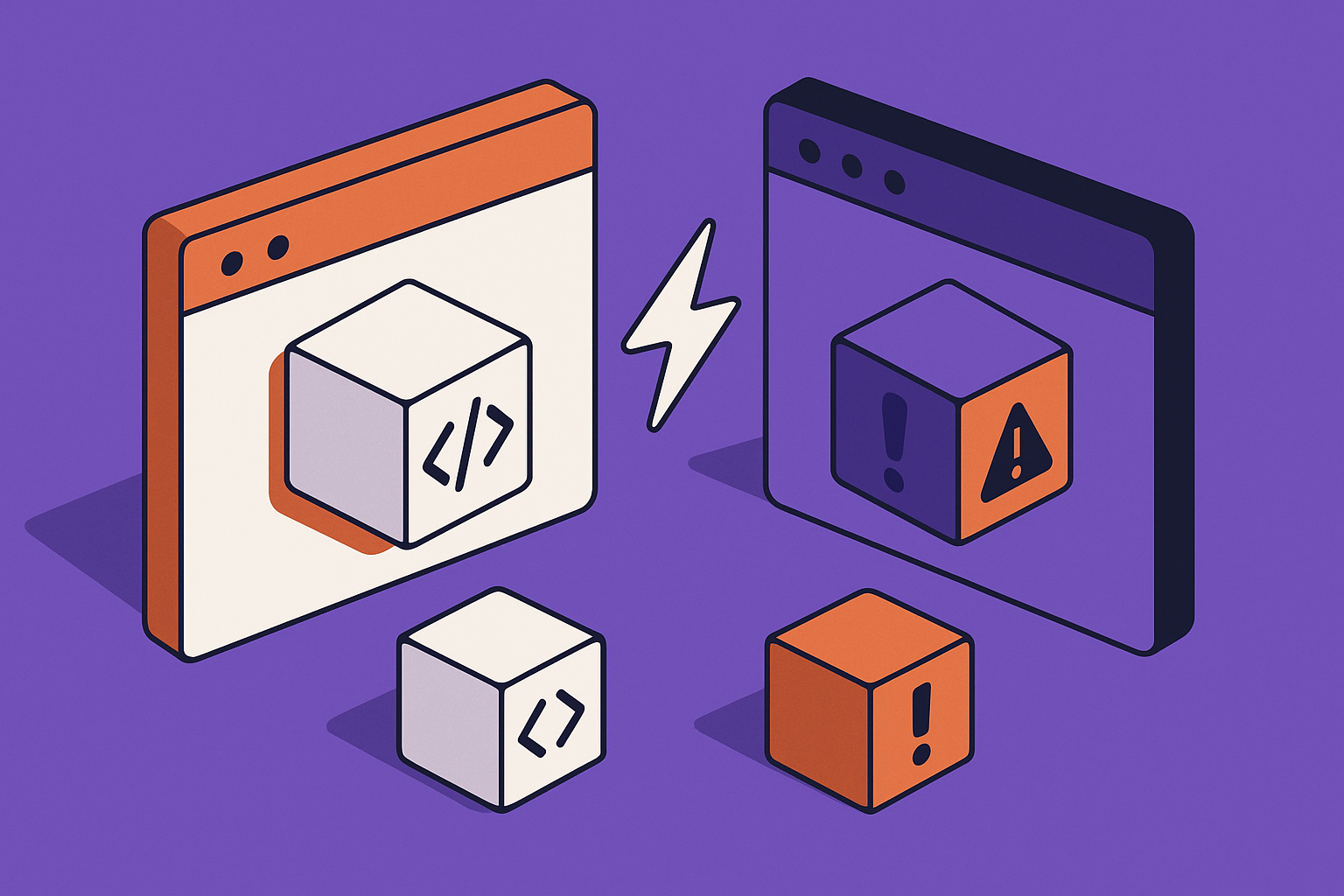
A Bolt.new preview is designed to help you iterate fast. It is not a guarantee that the same app will survive a real production build, a real domain, and real browser security rules. The preview can hide missing environment variables, tolerate development-only routing behavior, and run code in a context that is not the same as your deployed host.
That is why the symptom feels unfair. You click through the app inside Bolt, everything appears fine, then the deployed app breaks on Vercel, Netlify, or another host. The usual failure is not that Bolt generated a completely bad app. The failure is that the app was never forced to prove it could run under production constraints.
What changes after deployment
Production changes the base URL, the build command, the output directory, the runtime environment, and the security boundary. OAuth providers and webhook services stop talking to localhost-like preview URLs and start expecting exact deployed callback URLs. Browser fetch calls are judged by real CORS headers. Server-only secrets must exist in the host, not only in Bolt's workspace.
| Area | Bolt preview behavior | Production behavior |
|---|---|---|
| Environment variables | May be available in the workspace or simulated during preview | Must be defined in the deployment host with the correct prefix and scope |
| Routing | Dev server can often fall back to the app shell | Host needs rewrite rules for client-side routes |
| Auth callbacks | May use preview or temporary URLs | Must match the deployed domain exactly |
| Build checks | Preview may run despite warnings | Production build can fail on type, import, or dependency errors |
Start with the deployed app, not the editor
Open the live URL in an incognito window before changing code. If your own browser session has cached state, a token, or an old service worker, the app can look different for you than it does for a new user. Incognito gives you a cleaner read on what production users see.
The Bolt.new rescue work that pays off fastest usually starts with this distinction: do not ask the AI to rewrite the feature yet. First prove which production boundary is failing.
When to call an expert: call someone in when Bolt keeps rewriting working feature code, but nobody has isolated whether the failure is build configuration, domain configuration, auth configuration, or runtime code.
Read the Live Error Signals Before Changing Code
Do not debug a bolt deployed app broken by guessing from the preview. Production already tells you what is wrong, but the signal is split across browser DevTools, host build logs, serverless function logs, and third-party service dashboards. Read those signals before asking Bolt to regenerate anything.
Use the browser as your first diagnostic tool
Open the deployed app in Chrome or Edge, then open DevTools. Check the Console first. A blank page with ReferenceError, TypeError, or Cannot read properties of undefined points to runtime JavaScript. A red fetch error, 401, 403, 404, or 500 points to a failed network request.
Next, switch to the Network tab and filter by Fetch/XHR. Reload the app. Click the failing action. Look for the first request that fails, not the last one. A later error is often a consequence of the earlier failed request.
Map the symptom to the likely boundary
- Blank page before login: check build output, import errors, missing client environment variables, and routing rewrites.
- Login works in preview but not production: check OAuth callback URLs, allowed domains, cookie settings, and deployed environment variables.
- API call fails only on the live domain: check CORS, serverless function routes, secrets, and backend allowlists.
- Data writes appear successful but nothing changes: check database policies, user IDs, request payload shape, and server logs.
- Deep links return 404 after refresh: check host rewrite rules for a single page app.
"My Bolt.new app works in preview but fails in production. Use this console error, network request, response body, deployment log, and host settings to identify the exact boundary that differs: [paste error]. Do not rewrite unrelated UI code."
If the production build itself fails, stop testing the browser and read the deployment log. Search for error, failed, Cannot find module, Module not found, Property does not exist, Command failed, and ELIFECYCLE. Those strings usually give you a better fix than a generic prompt.
For broader Bolt failure patterns beyond preview versus production, the Bolt.new platform page is a better starting point than repeated AI rewrites.
When to call an expert: get help when you cannot produce a clean one-line diagnosis after reading Console, Network, and deployment logs. If the only summary is still "it works in preview," the debugging process has not narrowed enough.
If you want a second set of engineering eyes on the logs, host settings, and generated code, send AppStuck the broken production URL and the latest deployment error before spending another day on blind regeneration.
Fix Missing or Mis-scoped Environment Variables
Environment variables are the classic bolt.new preview vs production failure. The app uses an API key, Supabase URL, Stripe key, OpenAI key, or auth secret while previewing, then production does not have the same value available at build time or runtime. The result can be a blank page, a silent API failure, or a confusing message like Failed to fetch.
Client variables are not the same as server secrets
Frontend frameworks only expose certain variables to browser code. In Vite and many Bolt-generated React apps, browser-visible values usually need a VITE_ prefix. In Next.js, browser-visible values usually use NEXT_PUBLIC_. Server-only secrets must not be exposed with those prefixes.
This distinction matters because Bolt may generate code that references import.meta.env.VITE_SUPABASE_URL or process.env.NEXT_PUBLIC_SUPABASE_URL. If your production host defines SUPABASE_URL instead, the app may build but receive undefined in the browser.
Check the host, not only Bolt
- Open your deployment host project settings.
- Find the environment variables panel for the deployed project.
- Confirm each key exists in the correct environment, such as production, preview, or development.
- Confirm the variable name exactly matches the generated code, including capitalization and prefixes.
- Redeploy after changing variables. Many hosts do not inject updated build variables into an already-built deployment.
- Open DevTools and confirm the failing request now uses the correct URL or endpoint.
Environment variable checklist
- Confirm every browser variable uses the framework's public prefix, such as
VITE_orNEXT_PUBLIC_. - Confirm server secrets do not use a public prefix.
- Confirm the production host has the value, not only the Bolt workspace.
- Confirm production and preview environments do not point to different database projects by accident.
- Redeploy after edits and test the newest deployment URL.
Be careful with AI suggestions that paste secrets into frontend files. That can make the app appear fixed while leaking credentials to every browser user. The right fix is usually host configuration plus code that reads variables from the correct runtime.
When to call an expert: bring in help when the app depends on mixed client and server credentials, especially payments, AI APIs, auth providers, or database service-role keys. A quick fix can become a security issue.
Fix Production Build and Routing Differences
A Bolt preview can keep running while your production build is invalid. Development servers are forgiving in ways production bundlers are not. They may tolerate files that are not imported yet, route fallbacks that only exist in dev mode, or warnings that later become blocking build errors.
Reproduce the production build locally when possible
If you can export the code or open it in a coding environment, run the same commands the host runs. For many Vite apps, that is npm install followed by npm run build. For Next.js, it is often npm run build. The exact command should match the host's build setting, not what you assume from the framework.
Look for import casing problems such as importing ./components/navbar when the file is named Navbar.tsx. This can work on a case-insensitive local machine and fail on a Linux production builder. Also check missing packages, unused TypeScript types that become build-blocking, and generated code that imports a component that Bolt later deleted.
Verify build command and output directory
| Stack | Typical build command | Typical output | Common production mistake |
|---|---|---|---|
| Vite React | npm run build | dist | Host publishes build instead of dist |
| Create React App | npm run build | build | Host publishes dist instead of build |
| Next.js | npm run build | Framework-managed | Static export assumed when server routes are required |
| Node API | Project-specific | Server bundle or functions | Frontend deployed without the backend routes |
Routing is the next trap. If your app uses client-side routes like /dashboard or /settings/team, refreshing that URL in production can return a host-level 404. The server does not know it should serve the frontend app shell unless you add a rewrite rule.
Fix single page app refresh errors
- Open the host's redirects, rewrites, or routing configuration.
- For a Vite or React single page app, add a fallback that sends unmatched paths to
/index.html. - Do not rewrite API routes to
/index.html. Keep/api/*or serverless function routes separate. - Redeploy and test direct refreshes on
/login,/dashboard, and one nested route.
When to call an expert: escalate when the app mixes a frontend SPA, serverless functions, and authenticated routes. One wrong rewrite can fix page refreshes while breaking API calls.
Fix Auth, CORS, Webhooks, and Database Rules
Production domains change the trust relationship between your app and every external service. Auth providers, webhook senders, browsers, and databases do not care that the flow worked in Bolt preview. They validate the live domain, callback path, origin header, token, and user permissions.
Auth redirect mismatches
If users can start login but get redirected back to login, land on the wrong page, or see a provider error, inspect the configured redirect URLs. OAuth and magic link flows usually require exact URLs. A trailing slash, old preview domain, missing https, or wrong callback path can break the flow.
- Find the callback route in the generated app, such as
/auth/callbackor/callback. - Open your auth provider settings.
- Add the deployed production URL with the exact callback path.
- Add the production site URL if the provider has a separate site URL field.
- Remove stale preview URLs only after confirming production works.
- Test in incognito with a new login attempt.
CORS and backend allowlists
CORS errors are browser-enforced production boundaries. If the console says the request was blocked by CORS, the frontend reached across origins and the target server did not explicitly allow the deployed origin. Do not fix this by disabling browser security. Fix the backend response headers or use a server-side proxy route.
Auth and CORS checklist
- Confirm the auth provider allows
https://yourdomain.com/auth/callbackor your actual callback path. - Confirm email templates or magic links use the production site URL.
- Confirm backend CORS allows the deployed origin exactly, including protocol.
- Confirm cookies use settings compatible with cross-site redirects when needed.
- Confirm serverless functions can read their required secrets in production.
Database policies and persistent state
Supabase and similar backends often work in preview with permissive test data, then fail in production when row level security blocks a request. In Network, a 403 from a database endpoint is a permission problem, not a UI bug. A 200 response with an empty array can mean the query is valid but the signed-in user is not allowed to see rows.
Also check whether Bolt generated in-memory state where persistent storage was required. A demo list that lives in React state will vanish on refresh. A serverless function that writes to local memory will not behave like a database. Production requires explicit persistence.
"Review this Bolt-generated auth and data flow for production. Identify every place where the deployed domain, CORS origin, callback URL, Supabase RLS policy, or in-memory state could make preview pass and production fail: [paste relevant files and error]."
The Bolt.new platform hub is useful when the failure spans generated frontend code, backend services, and deployment settings rather than a single obvious error.
When to call an expert: get help when production auth appears to work but data access is inconsistent by user, role, browser, or domain. That usually means the problem is across auth tokens, policies, and code assumptions.
Run a Production Readiness Pass Before Rebuilding
Once you fix the obvious production break, do a controlled readiness pass instead of immediately adding more features. Bolt can help generate code quickly, but production stability comes from verifying the boring edges: clean deploys, correct settings, predictable state, protected secrets, and repeatable tests.
Test the paths users actually take
Use a fresh account and run through signup, login, password reset or magic link, onboarding, primary create action, primary update action, payment or subscription if present, logout, and re-login. Test on the deployed domain only. Preview is useful for development, but it is not the acceptance environment.
Keep DevTools open while testing. A feature can appear to work while logging failed background requests. Those hidden failures become support tickets later, especially when an email, webhook, or database update silently did not happen.
Compare configuration across environments
- Domains: production domain, auth site URL, OAuth callback URL, email link URL, and webhook URL should point at the intended live domain.
- Secrets: service-role keys, payment secrets, and AI API keys should only exist server-side.
- Public values: browser-readable IDs and public anon keys should use the correct public prefix.
- Build: the host should use the intended Node version, install command, build command, and output directory.
- Storage: important user data should be in a real database or storage service, not component state or temporary memory.
Do not let the AI erase the diagnosis
When you ask Bolt to fix a production issue, give it the exact failing signal and a constraint. For example, tell it not to change the UI, not to rotate credentials, and not to replace the auth provider. Otherwise, it may produce a broad rewrite that hides the original issue and creates a new one.
"Make the smallest production-safe change to fix this deployment issue: [paste error]. Preserve the existing UI and data model. Explain which environment variable, route, host setting, or code path changed and why."
When to call an expert: call in help when each attempted fix changes several unrelated parts of the app. Production rescue depends on narrowing the blast radius, not generating more moving parts.
When to Call in AppStuck
Many Bolt preview versus production problems are fixable once you read the live error signals and compare them with the host configuration. Missing environment variables, wrong output directories, stale auth callback URLs, CORS allowlists, and missing rewrite rules are all straightforward when isolated.
The hard cases are the ones that cross boundaries. A login bug may involve an OAuth provider, a generated callback route, browser cookies, Supabase policies, and a host environment variable. A blank page may involve a build artifact, an import casing error, a missing public variable, and a stale deployment. At that point, more AI prompts can make the app harder to reason about.
Escalate when you see any of these signs:
- The production error changes after every fix: that means the debugging process is not isolating one cause at a time.
- The app uses real payments, user data, or private API keys: credential exposure and data access bugs are not safe places to guess.
- Preview, staging, and production point at different services: you need an environment map before changing code.
- The deployment host builds successfully but users still hit runtime errors: the remaining issue is likely configuration, runtime behavior, or third-party integration.
- Bolt keeps rewriting working code: the next useful step is code review and log-driven diagnosis, not another regeneration cycle.
AppStuck specializes in rescuing and completing Bolt.new projects that are stuck between a promising preview and a broken production app. We will tell you honestly what your project needs and what it costs before any work starts.
Still stuck after trying these fixes?
AppStuck can review your Bolt.new deployment, host settings, environment variables, auth flow, and production errors so you can move from broken live app to a shippable release.
Book a free 30-minute assessment