Vibe Coded to Production: The 14-Day Playbook (2026)

By Soren Beck Jensen | May 12, 2026 | 18 min read
Your vibe-coded prototype is closer to production than you think.
This 14-day playbook closes every gap between "it works in my demo" and "it works for real users." If you would rather hand it to experts, our rescue team can do the audit and fix work for you.
The demo-vs-production gap
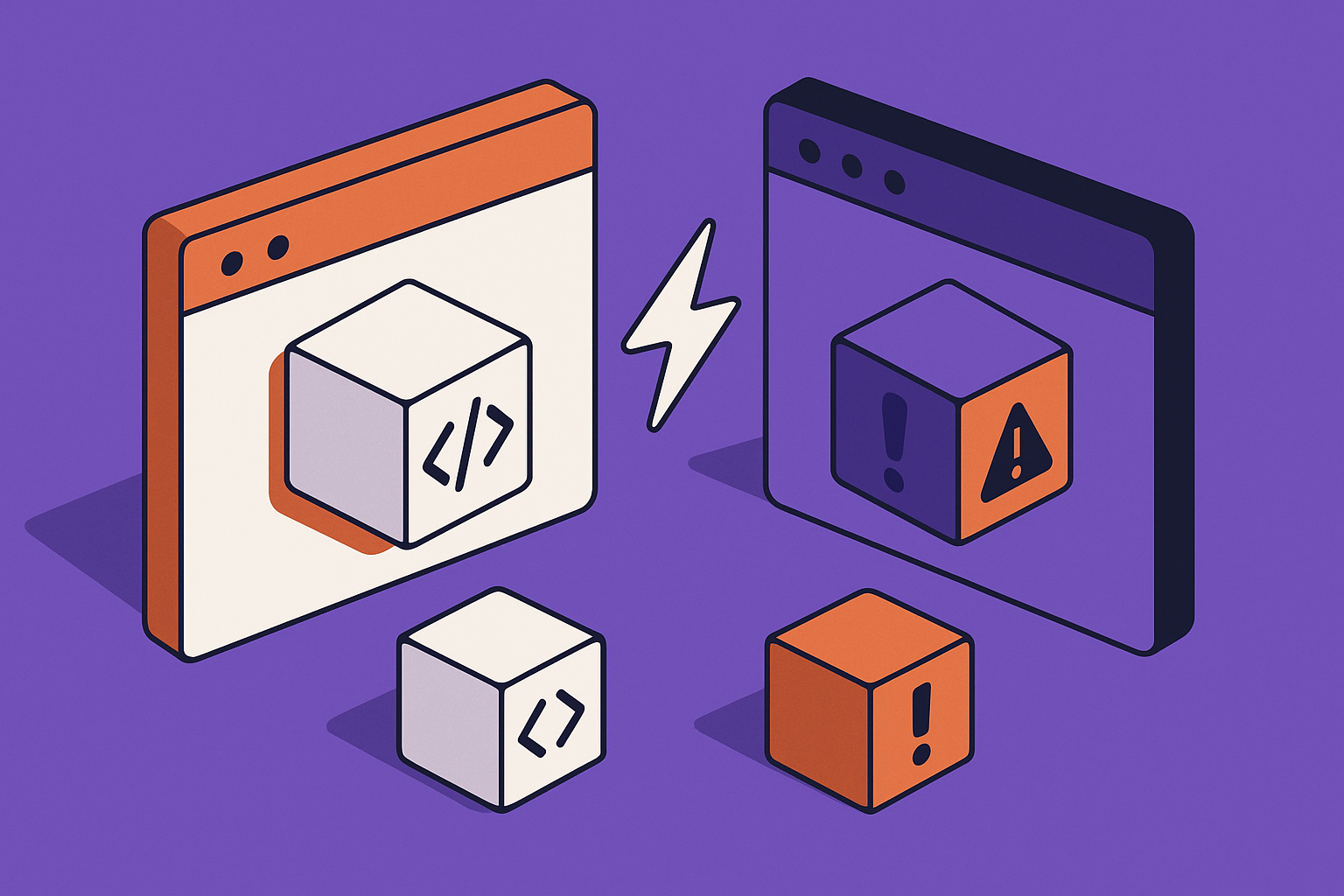
AI code generators are extraordinarily good at producing something that looks finished. The gap between "looks finished" and "is production-ready" is where most vibe-coded projects stall or fail after launch.
Here is what that gap looks like in practice:
| Area | In demo mode | In production |
|---|---|---|
| Authentication | One test user, no expiry logic | Session tokens expire, refresh fails, users get logged out mid-task |
| Database | SQLite or dev DB, 50 rows | Concurrent writes, missing indexes, connection pool exhaustion under real load |
| File uploads | Local disk, no size checks | Disk fills up, ephemeral container wipes files on redeploy |
| Error handling | 500 pages with stack traces visible | Stack traces leak internal paths; no alerting when things break silently |
| Third-party APIs | Happy path only, sandbox keys | Rate limits hit, webhooks fail, keys rotate and nothing updates |
| Environment variables | Hardcoded or in a .env that ships with the repo | Secrets exposed in logs, broken after deploy to new host |
| Performance | Fast because there is no data | N+1 queries, unindexed columns, 8-second page loads under real load |
| Security | CSRF not wired, no rate limiting | Bot-scraped endpoints, brute-forced login, injected content |
None of these problems are the AI tool's fault. They are structural: demo requirements and production requirements are genuinely different, and AI generators optimise for the former. The playbook below closes every one of these gaps systematically.
If you would rather hand this work to an experienced team, our AI app rescue service covers the full transition from prototype to production.
7-question self-assessment: are you ready to start?
Before you open a terminal, answer these seven questions honestly. Each "no" is a task that belongs in your Day 1-2 audit.
- Can you deploy to a clean environment without touching your local machine? If the answer is "I copy files over FTP" or "I SSH in and run git pull", you need a proper CI/CD pipeline.
- Are all secrets (API keys, DB passwords, tokens) stored outside the codebase? If they are in a .env file that you commit, or hardcoded in a config file, they need to move to a secrets manager or environment variable store before anything else.
- Do you have a staging environment that mirrors production? Testing on production directly is not a strategy - it is a liability.
- Do you know the exact database your production app will use, and have you tested migrations against it? Moving from SQLite to Postgres in production is a full weekend of work if you have not done it before.
- Do you have error tracking that sends you an alert when something breaks silently? "A user emailed to say it stopped working" is not monitoring.
- Have you tested the app with more than one concurrent user? Most vibe-coded apps have never seen two simultaneous requests and have race conditions waiting to surface.
- Do you have a backup and restore procedure for your production database? If the answer is no, a single bad migration or accidental DELETE will end your launch.
Score 6-7: you are ready to start the playbook. Score 4-5: spend an extra day on the audit. Score 0-3: talk to us first - jumping straight to deployment in this state usually costs more time than taking a week to fix the foundations.
The 14-day playbook
This playbook assumes one developer working on the project alongside other commitments. If you have a dedicated developer, the phases will go faster. Treat them as ordered milestones, not a strict calendar.
Days 1-2: Codebase audit and dependency clean-up
The first two days are for understanding exactly what the AI generated. Do not skip this phase even if you think you know the codebase. AI tools often generate plausible-looking code that has hidden assumptions baked in (hardcoded URLs, development-only middleware, missing error boundaries).
Day 1 checklist
- Run a dependency audit (
npm auditorpip-audit) and fix all critical vulnerabilities before any other work. - Grep the entire codebase for hardcoded secrets, localhost URLs, and TODO comments left by the AI. These are all production blockers.
- Map every external service the app calls: payment gateways, email providers, storage, analytics. Confirm you have production credentials for each.
- Identify your production database type and confirm the ORM or query layer supports it without schema changes.
- Check that environment variables are loaded correctly and that the app fails clearly (not silently) when a required variable is missing.
Day 2 checklist
- Remove all development-only packages from the production dependency list.
- Pin all dependency versions so that a fresh install six months from now produces the same result.
- Write a
README.mdthat documents how to run the app, what environment variables it needs, and how to run migrations. If you cannot write this in under an hour, you do not understand the codebase well enough yet. - Set up a private git repository if you do not have one. Every change from this point forward goes through version control.
- Create a staging environment. It does not need to be fancy - a free tier on the same host as production is fine - but it must exist.
Days 3-5: Security hardening
Security is not the last step. It belongs here, at days 3-5, because every subsequent layer you build on top of an insecure foundation is harder to secure retroactively. For a deeper dive, see our guide on AI-generated app security risks.
Authentication and session management
- Verify that session tokens expire and that refresh logic works correctly when they do. Test by manually shortening the expiry window.
- Implement account lockout after repeated failed login attempts. A short lockout window after repeated failures is a reasonable default for most apps.
- If you are using JWTs, confirm the signing secret is strong and stored in an environment variable, not the codebase.
- Add HTTPS-only cookies with the
SecureandHttpOnlyflags set. This is not optional.
Input validation and injection prevention
- Every piece of user input that touches the database must go through parameterised queries. Verify by searching for raw string interpolation in SQL queries.
- Sanitise all HTML that gets rendered back to users. If your app accepts rich text, use a battle-tested sanitisation library, not a regex.
- Validate file upload types server-side (not just client-side). Reject anything that does not match your allowlist.
Rate limiting and CSRF
- Add rate limiting to every endpoint that accepts user input, especially login, registration, and password reset. The exact limits depend on your use case, but set conservative limits on sensitive endpoints and adjust based on real usage.
- Verify CSRF protection is active on all state-changing forms. Most frameworks provide this - make sure it is enabled, not just installed.
- Add security headers:
Content-Security-Policy,X-Frame-Options,X-Content-Type-Options,Referrer-Policy. Use securityheaders.com to check your score.
Secrets and credentials
- Rotate every API key and credential that has touched the development environment or been visible in a commit. Assume development keys are compromised.
- Use your host's secret management tool (Railway secrets, Heroku config vars, AWS SSM, Vercel environment variables). Never store secrets in a file that is deployed.
- Review your git history for accidentally committed secrets using a tool like
git-secretsor truffleHog. Remove them from history if found.
Days 6-8: Data layer and migrations
The data layer is where most vibe-coded apps fail at scale. SQLite works fine for a prototype. It will not survive real concurrent users writing to the same table.
Database migration
- If you are moving from SQLite to Postgres or MySQL, do it now, before you have production data. Write a migration script and test it on a copy of your development data.
- Add appropriate indexes on every column you filter or join on. Run EXPLAIN ANALYZE on your five most common queries and fix any full table scans.
- Set up automated daily backups. Most managed database services (Supabase, PlanetScale, Neon, RDS) include this - just make sure it is turned on and test a restore.
- Implement a migration system (Alembic for Python, Flyway or Liquibase for Java, Knex migrations for Node.js) if the AI did not generate one. Running raw SQL against production is how you get data loss.
Connection pooling and reliability
- Set up connection pooling. Most ORMs support this natively - verify it is configured with a sensible pool size for your expected concurrency.
- Add retry logic for transient database errors. A network blip should not take down your app.
- Implement soft deletes (a
deleted_attimestamp column) for any entity your users might want to recover. Hard deletes are very hard to undo.
File storage
- Move file uploads from local disk to object storage (S3, Cloudflare R2, Backblaze B2). Local disk storage is wiped on every redeploy on most platforms.
- Set appropriate file size limits and content-type validation. Enforce them server-side.
- Generate signed URLs for private files rather than serving them directly. This gives you access control without routing every byte through your server.
Days 9-10: Performance baseline
You do not need to optimise for 100,000 users on day one. You need to verify the app holds up under the realistic load you expect in your first weeks of operation.
Load testing
- Use k6 or Locust to simulate your expected concurrent users against staging. Watch for: connection pool exhaustion, memory leaks, slow endpoints, and third-party API rate limit hits.
- Identify the three slowest endpoints in your app. Fix those three before worrying about anything else.
- Add caching for anything that is expensive to compute and does not need to be real-time. A Redis instance for session storage and query caching is worth the modest monthly cost for most apps.
Frontend performance
- Run Lighthouse on your five most-visited pages. Fix anything scoring below 70 on Performance.
- Ensure all images have explicit width and height attributes, are served in modern formats (WebP, AVIF), and use lazy loading for below-the-fold content.
- Set up a CDN for static assets. Cloudflare's free tier is sufficient for most early-stage apps.
- Verify your largest pages (homepage, dashboard) load in under 3 seconds on a simulated 4G connection. This is the threshold where users start abandoning.
Days 11-12: Observability and alerting
You cannot fix what you cannot see. Observability is not a luxury - it is how you know your app is working when you are not looking at it.
Error tracking
- Install Sentry or a comparable error tracking tool. The free tier covers most early-stage apps. Configure it to send you an email or Slack notification for new error types.
- Verify that error messages shown to users do not include stack traces, file paths, or environment details. These are a security risk and a terrible user experience.
- Add structured logging to every critical path in your application (payment processing, user registration, data export). You need to be able to reconstruct exactly what happened when something goes wrong.
Uptime monitoring
- Set up uptime monitoring with UptimeRobot (free) or Better Stack. You want to know about downtime before your users tell you.
- Add a
/healthendpoint that checks database connectivity and returns a 200 if everything is working. Point your uptime monitor at this, not just the homepage. - Set up a status page. Even a simple one tells users you are aware of issues and reduces support volume during outages.
Day 13: Staging validation
Day 13 is a full rehearsal. You deploy everything to staging and test it as if you are a real user who has never seen the app before.
- Complete a full user journey from registration through to the core value action of your app. Do not skip steps or use shortcuts you know about.
- Test every email (registration confirmation, password reset, notifications). Check that they are delivered, that links work, and that they render correctly in both Gmail and Apple Mail.
- Run through every payment flow if your app takes money. Stripe's test mode is your friend here - test both successful payments and declined cards.
- Confirm that your monitoring and alerting works by intentionally triggering an error and verifying you receive the notification.
- Test your backup restore procedure. Restore the staging database from a backup and verify the app still works.
- Conduct a final security review: check that no debug routes are accessible, that admin endpoints require authentication, and that there are no exposed environment variables.
Day 14: Production deployment
By day 14, you should have zero surprises. Everything that could go wrong has already gone wrong on staging.
Pre-deployment checklist
- Confirm DNS is pointed at the correct server and that SSL certificates are in place and auto-renewing.
- Run database migrations on production with a verified rollback plan in hand.
- Deploy to production using your CI/CD pipeline, not a manual process.
- Verify all monitoring, uptime checks, and alerting are pointed at production URLs.
- Set up your support channel (email, chat, Intercom) so real users can reach you when they have questions.
Post-deployment
- Watch your error tracker for the first hour. New error types in the first 60 minutes usually have a clear cause.
- Check your uptime monitor and confirm it is reporting green.
- Do one final end-to-end test on production with a real account (not a test account).
- Announce to your first users. Do not wait for perfection.
Common production killers: quick reference
These are the issues that appear most often in the apps we rescue at AppStuck. Review this table before you go live.
| Killer | Symptom | Fix |
|---|---|---|
| SQLite in production | App hangs under concurrent writes; database locked errors | Migrate to Postgres. One weekend of work now, avoids a crisis later. |
| N+1 queries | Dashboard loads in 200ms with 10 rows, 12 seconds with 1,000 | Add eager loading / joins. Use query logging to find them. |
| Ephemeral file storage | Uploaded files disappear after redeploy | Move to S3 or Cloudflare R2 immediately. |
| Hardcoded secrets | App breaks on new environment; keys exposed in repo history | Move all secrets to environment variables. Rotate any that were exposed. |
| No session expiry | Users stay "logged in" indefinitely; hijacked sessions never expire | Set explicit session TTLs and implement token refresh. |
| Missing error handling | One failed third-party API call takes down the whole page | Wrap every external call in try/catch with a graceful fallback. |
| No rate limiting | Bots hammer your login endpoint; API costs spike | Add rate limiting at the edge (Cloudflare) and application layer. |
| Missing indexes | Filter queries work fine on dev, time out on production data | Add indexes on every foreign key and every column you filter by. |
Tool-by-tool: specific guidance for the main vibe-coding platforms
Each AI coding tool has its own quirks and common failure modes. Here is what to check specifically for the platform you used to build your prototype.
Lovable
Lovable generates full-stack React applications with Supabase for data. The most common production issues are:
- Supabase Row Level Security (RLS) not configured: Lovable scaffolds the database but often leaves RLS policies too permissive. Audit every table's policies before launch. Users should only be able to read and write their own data by default.
- Supabase edge functions in development mode: Check that any edge functions are configured for production and that secrets are set in the Supabase dashboard, not hardcoded.
- React component re-renders at scale: Lovable-generated components sometimes lack memoisation. Profile with React DevTools on a dataset that resembles production volumes.
- Missing auth redirects after token expiry: Test what happens when a user's session expires mid-session. Lovable apps often show a blank page instead of redirecting to login.
For a detailed troubleshooting guide, see our Lovable troubleshooting guide.
Bolt.new
Bolt.new runs in a WebContainer and generates full-stack apps with a range of backend options. Key production checks:
- WebContainer to production host migration: Bolt apps run in-browser during development. You need to export the code and set up a proper deployment pipeline. Do not deploy from the Bolt interface to production.
- Missing environment variable handling: Bolt apps often hardcode API keys or use .env files without proper secret management. Audit every
process.envreference. - OAuth state loss between restarts: Bolt's debug cycle can break OAuth flows. Test the complete OAuth journey (including the callback) on a clean session before going live.
See also our guide on fixing common Bolt.new errors.
Cursor
Cursor is an AI-assisted IDE rather than a full code generator. The production issues here tend to be different - more about the code that Cursor helped write under time pressure:
- Context window drift: Long Cursor sessions produce code that is internally inconsistent. Do a full architecture review to identify places where the AI made different assumptions about the same problem.
- Incomplete error handling: Cursor tends to generate the happy path first and then forget to come back to error states. Audit every async function for unhandled promise rejections.
- TypeScript strict mode violations: Code generated with Cursor often compiles with strict mode off. Turn it on and fix the warnings before launch.
Replit
Replit apps have a specific set of production migration challenges because the platform manages a lot of the infrastructure for you in development:
- Always-on hosting: Replit's free and basic tiers sleep after inactivity. A production app cannot tolerate 30-60 second cold starts. You need either Replit's Autoscale deployments or to migrate off the platform.
- Database migration from Replit DB: Replit's built-in key-value store is not suitable for relational data at production scale. Migrate to Postgres (Neon or Supabase work well) before launch.
- Environment variable handling: Replit Secrets do not automatically transfer to production deployments. Audit all environment variable usage and configure them explicitly in your deployment settings.
v0 by Vercel
v0 generates UI components only - it does not generate backend logic or data fetching. The most common production gap:
- Missing backend: v0 generates React and Next.js components. Any server-side logic, API routes, and data fetching need to be built separately. Do not assume the component is a complete feature.
- Vercel-specific deployment assumptions: v0 components assume a Vercel hosting environment. If you are deploying elsewhere, verify that Next.js server components and API routes work on your target host.
Claude Code
Claude Code is a terminal-based coding agent with significant autonomy. Production-specific issues to check:
- Scope creep in generated code: Claude Code will sometimes generate more code than requested to make tests pass. Review every file it touches, not just the files you asked it to change.
- Missing structured error monitoring: Claude Code projects need explicit instrumentation added. The agent will not add Sentry or structured logging unless you ask.
- Bash command approval workflows: Claude Code relies on your approval for shell commands. Make sure any automation scripts it generated do not require interactive approval in a production environment.
If you are not sure which issues your specific app has, our AI app rescue assessment covers a full audit within 48 hours.
What production-ready actually means: a clear definition
"Production-ready" is often used loosely. Here is a concrete definition with measurable criteria.
| Category | Production-ready criteria |
|---|---|
| Reliability | The app handles errors gracefully without crashing. Third-party failures degrade specific features, not the entire app. Uptime monitoring is active and you are alerted quickly about downtime. |
| Security | All secrets are in environment variables. HTTPS is enforced. Authentication tokens expire and refresh correctly. Rate limiting is applied to sensitive endpoints. Security headers are set. |
| Data integrity | Daily automated backups with tested restore procedure. Database migrations run through a migration tool, not raw SQL. Soft deletes for any entity users might want recovered. |
| Performance | Core pages load in under 3 seconds on a simulated 4G connection. The app handles your expected concurrent user count without degradation. No N+1 query patterns in production. |
| Observability | Error tracking is active and sending alerts. Structured logging on critical paths. Health endpoint for uptime monitoring. You know about problems before users tell you. |
| Deployability | Deployments are automated through CI/CD. A new deployment takes under 10 minutes and does not require manual steps. Rollback is possible within 5 minutes if something goes wrong. |
| Supportability | There is a support channel users can reach. Documentation exists for the core user journey. The codebase is readable and a new developer could understand it in under a day. |
Case study: from Lovable prototype to a healthy production launch
A Nordic SaaS founder built a project management tool for small creative agencies using Lovable over a weekend. The prototype was impressive in demos. When they tried to launch it to a beta group of agencies, it started failing immediately.
The issues they hit within the first 48 hours of beta:
- Supabase RLS was set to allow all reads on the projects table, meaning every user could see every other user's projects.
- File uploads (project briefs, assets) were going to a temporary Supabase storage bucket configured for development - not production-grade object storage.
- Session tokens were set to expire after 1 hour, but there was no refresh logic. Users were being logged out mid-task with no explanation.
- The dashboard performed one database query per project card, creating serious performance problems as the dataset grew.
They reached out to us through our AI app rescue service. We did a 48-hour audit, identified all four issues plus several smaller ones, and fixed them in the following weeks. The founder launched publicly and the app has grown to a healthy paying user base since.
The prototype was a strong foundation - it just needed the production layer that the AI could not generate.
If your situation sounds similar, see how we work on our enterprise services page or get in touch directly.
Cost comparison: DIY vs professional rescue
Here is an honest breakdown of what the transition from prototype to production typically costs, whether you do it yourself or bring in help.
| Approach | Typical timeline | Typical cost | Risk level |
|---|---|---|---|
| DIY (founder with some dev experience) | Several weeks to a few months | Your time + hosting infrastructure | Medium-high: common to miss security issues that surface later |
| DIY (founder without dev experience) | Many weeks or never completed | Your time + learning curve + tooling + hosting | High: production issues often surface after launch when they are harder to fix |
| Freelancer from a marketplace | Longer than expected due to finding, briefing, and revision cycles | Varies widely depending on scope and location | Medium: depends heavily on the individual; quality varies widely |
| Specialist rescue service (like AppStuck) | Typically 2-5 weeks | Billed at $70/hour with a 5-hour minimum; fixed quotes available for larger scope | Low: we have done this specific transition hundreds of times |
| Full rebuild with an agency | Several months | Substantially higher than a rescue approach | Low for quality, high for timeline and budget overrun |
The right answer depends on your timeline, your technical depth, and what the stakes are if something goes wrong after launch. If users are paying you money from day one, the cost of a failed launch - refunds, churn, reputation damage - typically exceeds the cost of getting expert help before you go live.
Stuck between prototype and production?
We audit vibe-coded apps and fix the production gaps in 2-5 days. Free discovery call, no commitment required.
Book a free call Learn how it works10-point production readiness scorecard
Score your app before you go live. Each item is worth 1 point. 8-10: ready to launch. 5-7: fix the gaps first. Below 5: do not launch yet.
- Secrets are stored in environment variables, not in the codebase or a committed .env file.
- HTTPS is enforced and SSL certificates auto-renew.
- Authentication sessions expire and refresh logic works correctly.
- The production database is Postgres or MySQL (not SQLite) with automated daily backups.
- File uploads go to object storage (S3, R2, or equivalent), not local disk.
- Error tracking is active and sends you alerts for new error types.
- Uptime monitoring is active and checks a health endpoint, not just the homepage.
- The three slowest endpoints have been profiled and optimised.
- Rate limiting is applied to login, registration, and any endpoint that sends email or calls a paid API.
- A full end-to-end user journey has been tested on the staging environment by someone who did not build the app.
DIY vs hire: the decision matrix
Use this matrix to decide whether to handle the production transition yourself or bring in help.
| Your situation | Recommendation |
|---|---|
| You have a technical co-founder or 3+ years of backend development experience | DIY with this playbook. You have the skills. Set aside 3-4 weeks. |
| You are non-technical and the app takes payments or handles sensitive data | Get professional help. The security and data layer risks are too high for a first attempt. |
| You need to launch within 3 weeks | Get professional help. DIY on a tight timeline produces shortcuts that become production incidents. |
| Your app scored 7 or above on the scorecard above | DIY is reasonable. Focus on the specific items you scored 0 on. |
| Your prototype was built with multiple AI tools and the codebase is hard to understand | Get professional help. Mixed AI output is harder to audit and has more hidden inconsistencies. |
| You have already had one failed launch attempt due to technical issues | Get professional help. A second failed launch has real reputational cost. |
| Your app is a simple landing page with a contact form and basic auth | DIY is fine. The risk surface is small enough to manage alone. |
If the matrix points to professional help, the AppStuck AI app rescue service is designed specifically for this transition. We work with apps built on all the major AI platforms. Request a free codebase audit and we will tell you exactly what your app needs before you commit to anything.
Frequently asked questions
How long does it actually take to get a vibe-coded app to production?
For a moderately complex app (user auth, database, one or two integrations), expect 3-6 weeks if you are doing the work yourself with existing backend experience, or 2-4 weeks with professional help. Simpler apps (a single-purpose tool with minimal auth) can be done in 1-2 weeks. More complex apps with payments, multiple integrations, and high reliability requirements take 6-10 weeks.
Can I skip the staging environment to save time?
You can, but you will almost certainly regret it. Staging environments exist to catch the problems that only appear under production conditions (different environment variables, different database, different network). Skipping staging means testing on your users, which is expensive when something breaks. A basic staging environment on most platforms costs nothing or close to it.
My app handles payments. What do I need to check specifically?
Beyond the general playbook: verify your Stripe (or equivalent) is in live mode with production API keys. Test both successful and failed payment flows. Confirm webhooks are configured for the production URL and have endpoint verification enabled. Check that failed payment emails are sent correctly. Verify that your refund flow works. Make sure PCI compliance requirements are met - if you are using Stripe's hosted checkout, this is handled for you; if you are handling card numbers directly, it is not.
My Lovable / Bolt / Replit app is already live and having problems. What now?
Prioritise the issues by impact. Data loss or security vulnerabilities come first. Then performance issues that are actively preventing users from using the app. Then bugs that affect a subset of users. Cosmetic issues last. If you are overwhelmed, our rescue service does 48-hour assessments that give you a prioritised fix list even if you choose to implement the fixes yourself.
Do I need to migrate away from the AI platform's hosting?
Not necessarily. Lovable apps can run on Supabase in production. Replit has Autoscale deployments for production workloads. Vercel is a legitimate production hosting platform. The question is whether the platform's production offering meets your requirements for performance, reliability, and cost at your expected scale. Evaluate it specifically, do not assume you need to migrate.
What is the most common thing that founders miss?
Session management. Almost every vibe-coded app we audit has either sessions that never expire (a security risk) or sessions that expire without a working refresh flow (a UX nightmare that causes support tickets). It is easy to miss because it only surfaces after a user has been active for a while, which does not happen in demos.
How do I know which database to use in production?
For most vibe-coded apps, Postgres is the right answer. It is reliable, widely supported, and has managed hosting options at every price point (Supabase, Neon, Railway, RDS, PlanetScale). The only exception is if your app has a specific use case better served by a different database type: a real-time app might use Firebase, a graph-heavy app might use Neo4j, a high-write time-series app might use TimescaleDB.
Can I do this playbook while keeping the app available to beta users?
Yes, with careful planning. Do the audit and security work on a branch. Keep staging and production in sync during the transition. Use feature flags to roll out changes gradually. Do database migrations during low-traffic windows with a tested rollback plan. The one step you should not do with users actively in the app is a database migration that changes column types or drops columns.
My AI tool generated tests. Are they good enough?
AI-generated tests are a starting point, not a guarantee. They typically cover the happy path and miss edge cases, error states, and concurrent access scenarios. Review each test and ask whether it would actually catch a realistic production failure. Add integration tests that test the full flow from HTTP request to database and back - these catch issues that unit tests miss.
When should I invest in proper infrastructure vs using managed services?
Use managed services until you have a clear reason not to. Managed Postgres, managed Redis, managed file storage, managed email - these cost a small premium over self-managed infrastructure but save enormous amounts of time. Self-manage infrastructure only when managed services cannot meet a specific requirement (usually compliance, data residency, or cost at very high scale). For an early-stage app launching in the next 3 months, managed services are almost always the right choice.
Ready to get your app to production?
We have taken 300+ AI-generated prototypes to production. Book a free call and we will tell you exactly what your app needs to ship - no commitment required.
Book a free call Learn more about our rescue serviceNeed Help with Your AI Project?
If you're dealing with a stuck AI-generated project, we're here to help. Get your free consultation today.
Get Free Consultation